Portatron Tape Synthesizer
4-track cassette tape loops!
− VST3 · AU · AAX for Mac and Windows
The demo is functional for 20 minutes. You can save but not load patches from disk.
Secure checkout by FastSpring
- 4 tape tracks
- Drone, Loop, or Instrument
- Full lofi control
- Built-in FX
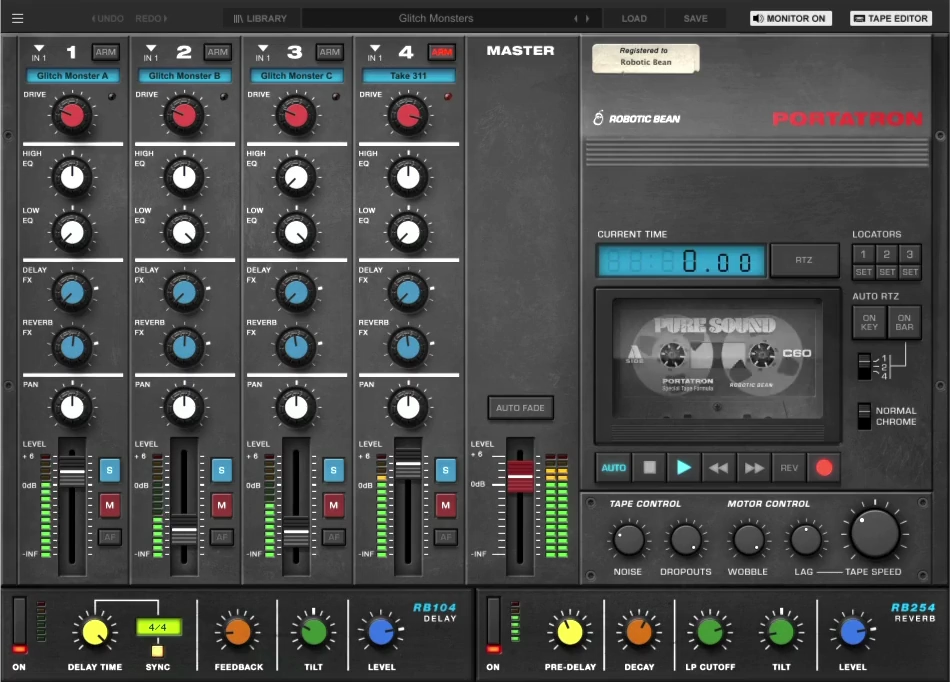
This machine brings the aesthetic of vintage 4-track tape recording to modern music production. Use the instant lofi sound to breathe new life into your samples, capture the vibe and character of a classic cassette recorder — and now, record straight onto the tape yourself.
New in version 2.0: Record audio from your DAW directly onto Portatron’s tape tracks, map any hardware controller to any knob or fader with MIDI Learn, and manage your growing sound library with the new Portapack manager.
Hear it
See it in action
A Tape Loop Instrument

Play looping samples synchronized to your DAW’s transport, or trigger them as a monophonic keyboard instrument. Mix four independent tracks using built-in EQ, delay, and reverb effects.
- Drone playing along with your DAW transport
- Semi-synced loops that restart every 1, 2, or 4 bars
- Play like a monophonic Mellotron instrument
Full Lofi Control
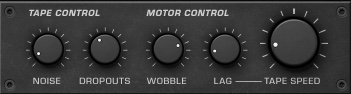
Complete control over the cassette sound, including tape speed, noise, dropouts, wobble, and start/stop lag. Choose between Normal or Chrome tape types, and dial in Drive to recreate authentic tape saturation.
Record Straight to Tape
Feed any audio signal into Portatron and record it directly onto its tape tracks — up to all four at once, depending on your DAW. Arming, monitoring, and recording all happen right inside the plugin, and every take is saved to disk as its own file, so nothing is lost even when you record over it.
Sample Library Included
Includes hundreds of pre-recorded samples — instruments like piano, vibraphone, vocals and synths, plus unconventional sources like hydrophones and shortwave radio. Combine samples across tracks with shared tape effects for cohesive, lo-fi soundscapes. Or record your own material straight onto the tape.
Expand your sound
Expand your palette with Portapacks — downloadable sound bank collections of unique tape loops and samples. The new Portapack manager lets you see what’s installed, download free Portapacks in a click, and point Portatron at folders on an external drive if you like to keep your sound libraries elsewhere.
Specification
- Four sample playback tracks
- Record audio from your DAW onto up to 4 tape tracks at once
- Tape effects: Noise, Dropouts, Wobble, Tape Speed (0–200%)
- Per-track controls: Drive, EQ, Level, Pan
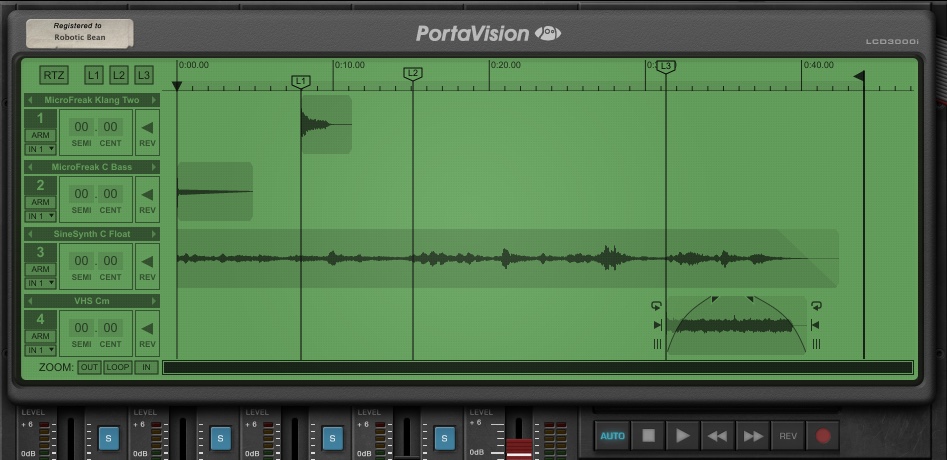
- Tape Editor (Resize, Move, Loop, Repitch, Fade, Reverse samples)
- Three locators and Return To Zero (RTZ) functionality
- Auto-RTZ trigger options (On Key or On Bar)
- Delay and Reverb send effects
- Multi track and effects audio outputs
- Included Library Sound Bank with patches and samples
- Portapack manager: browse, download, and add expansions
- MIDI Learn for all knobs and faders
- Formats: VST3, AU, AAX
System Requirements
- VST3, AU or AAX host
- Windows 10 or higher
- macOS 10.13 or higher
- 500MB disk space
- Pro Tools 11.3 or later required for the AAX version